 Residential
 Home Theater
 Home Gym
TLDR:
Golf simulators are loud because of impact noise (club + ball), echo from hard surfaces, and vibration transfer through walls and floors. The best fix is combining acoustic panels, impact-absorbing materials, and proper room setup—especially with purpose-built solutions like high-performance acoustic panels.
Why Golf Simulators Get So Loud
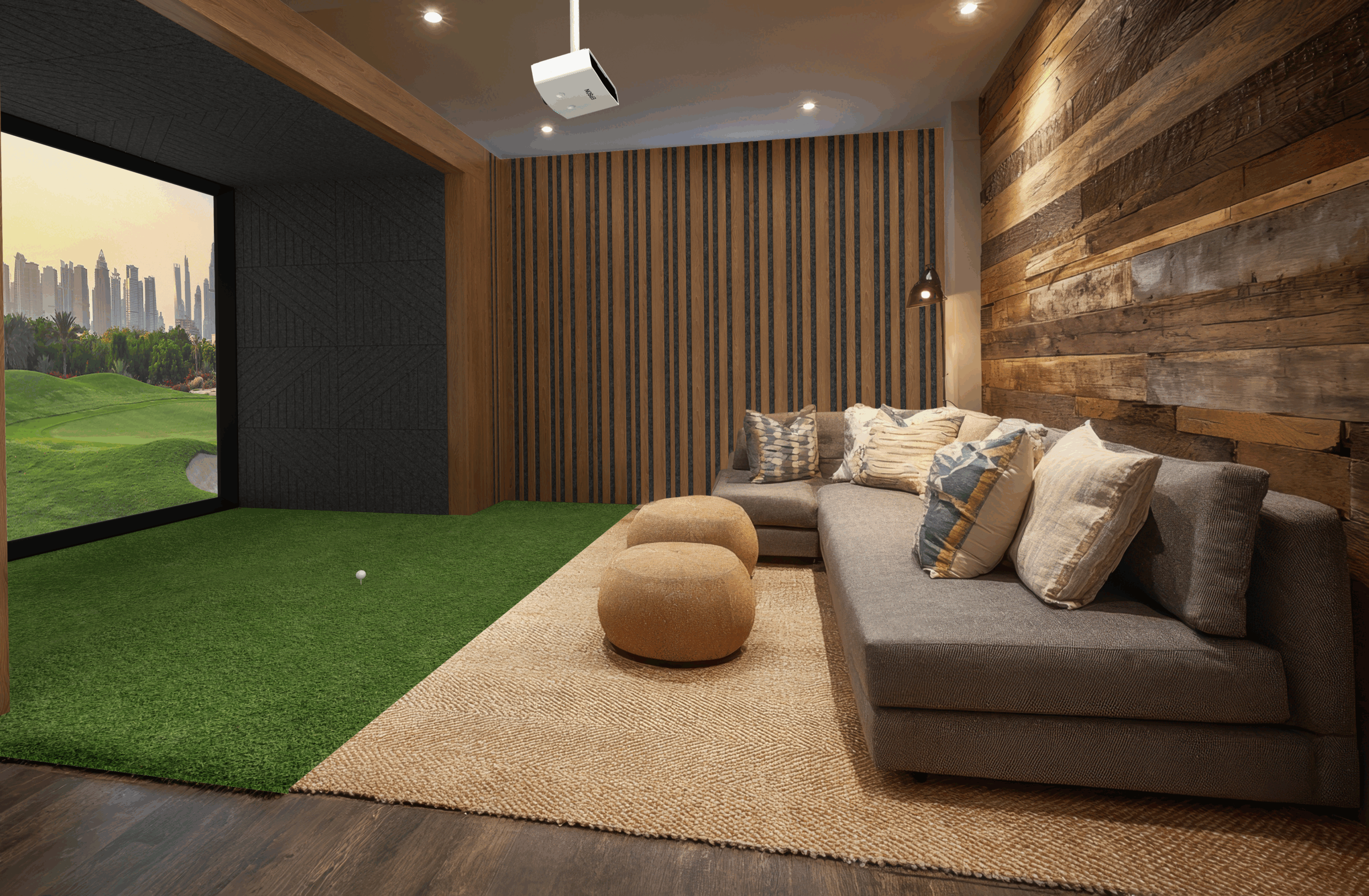
If you’ve set up a golf simulator at home, you’ve probably noticed one thing quickly:
It’s way louder than expected.
Even in a well-designed room, simulator noise can echo, travel through walls, and disrupt others in your home. Understanding the why is the first step to fixing it.
The 3 Main Sources of Golf Simulator Noise
1. Impact Noise (The Biggest Problem)
The loudest sound comes from:
- Club striking the ball
- Ball hitting the impact screen
This creates a sharp, high-decibel “crack” that can easily travel through walls.
2. Echo and Sound Reflection
Most simulator rooms include:
- Drywall
- Concrete
- Wood flooring
These hard surfaces reflect sound, causing:
- Echo
- Amplification of noise
- Longer sound decay
3. Structure-Borne Vibration
When the ball hits the screen or wall:
- Vibrations travel through framing, floors, and ceilings
- Noise spreads to adjacent rooms
This is why people upstairs—or even next door—can hear it clearly.
Quick Diagnosis: What’s Causing YOUR Noise?
| Symptom | Likely Cause | Fix Priority |
|---|---|---|
| Loud “crack” on every hit | Impact noise | High |
| Room sounds echoey | Lack of acoustic treatment | High |
| Noise heard in other rooms | Vibration transfer | Medium |
| Noise lingers after impact | Poor sound absorption | High |
How to Fix a Loud Golf Simulator (Step-by-Step)
1. Add Acoustic Panels (Most Effective Fix)
The fastest and most effective upgrade is installing high-quality acoustic panels.
These panels:
- Absorb sound waves
- Reduce echo and reverb
- Lower overall noise levels
A purpose-built solution like golf simulator acoustic panels from Residential Sound Panels is specifically designed for high-impact environments like simulators—making them far more effective than generic foam.
2. Treat the Impact Zone
Your impact screen area is the noise epicenter.
Improve it by:
- Using a high-quality, multi-layer impact screen
- Adding padding or backing behind the screen
- Leaving space between screen and wall (critical for sound dampening)
3. Install Wall and Ceiling Coverage
For best results, treat:
- Side walls
- Ceiling above hitting area
- Back wall
Recommended Coverage Strategy
| Area | Coverage Recommendation |
|---|---|
| Side walls | 30–50% coverage |
| Ceiling | Panels above hitting zone |
| Behind screen | Soft backing or insulation |
| Rear wall | Full or partial panel coverage |
This dramatically reduces echo and overall perceived loudness.
4. Upgrade Flooring
Hard floors amplify sound. Consider:
- Rubber gym mats
- Turf with padding
- Acoustic underlayment
These materials help absorb impact and reduce vibration transfer.
5. Isolate the Room (Advanced Fix)
If noise is still an issue:
- Add door seals
- Use solid-core doors
- Add insulation inside walls
This helps contain sound within the simulator space.
Why Standard Foam Panels Don’t Work Well
Many people try cheap foam panels first—and are disappointed.
Here’s why they fail:
| Foam Panels | Professional Acoustic Panels |
|---|---|
| Thin and low-density | High-density sound absorption |
| Designed for voice only | Designed for impact + wide frequency |
| Minimal noise reduction | Significant decibel reduction |
| Wear out quickly | Durable and long-lasting |
For a golf simulator, you need materials built for impact noise, not just speech acoustics.
Best Setup: Combining Multiple Fixes
The quietest golf simulator rooms use a layered approach:
- Impact screen with backing
- Acoustic wall panels
- Ceiling treatment
- Soft flooring
- Optional insulation upgrades
This combination delivers:
- Lower peak noise
- Reduced echo
- Better overall experience
Things You Should Know Before Buying Soundproofing
Soundproofing vs Sound Treatment
- Soundproofing = blocking sound from leaving the room
- Sound treatment = improving sound inside the room
Most solutions (including panels) focus on treatment, which is what you need first.
You Can’t Fully Eliminate Noise
Even high-end setups won’t be silent—but you can:
- Reduce noise by 50–80%
- Make it far less disruptive
Placement Matters More Than Quantity
A few well-placed panels outperform:
- Random placement
- Overcrowded walls
Strategic placement = better results.
Who Needs Golf Simulator Soundproofing Most?
You’ll benefit the most if:
- Your simulator is inside your home (not garage)
- You share walls with bedrooms or neighbors
- You practice frequently
- You use high swing speeds (louder impact)
Final Thoughts: Fix the Noise the Right Way
A loud golf simulator isn’t just annoying—it limits how often and when you can use it.
The good news?
It’s completely fixable with the right approach.
Start with:
- High-quality acoustic panels
- Proper impact zone setup
- Strategic room coverage
And if you want a solution designed specifically for this problem, Residential Sound Panels’ golf simulator system is one of the most effective ways to dramatically reduce noise without overcomplicating your setup.
Want Help Designing a Quiet Simulator Room?
A great golf simulator isn’t just about the screen or speakers. The room itself plays a big role in how everything sounds. If audio feels off—echo, unclear dialogue, uneven volume—acoustic wall panels can fix it.
At Residential Sound Panels, we design solutions that improve sound clarity and control without overcomplicating your setup. With years of experience, we help turn ordinary rooms into spaces that sound clean and balanced.
Want to improve your golf simulator room? Reach out today to get started.
Use our contact form or call our team at (801) 619-7044 to learn more.